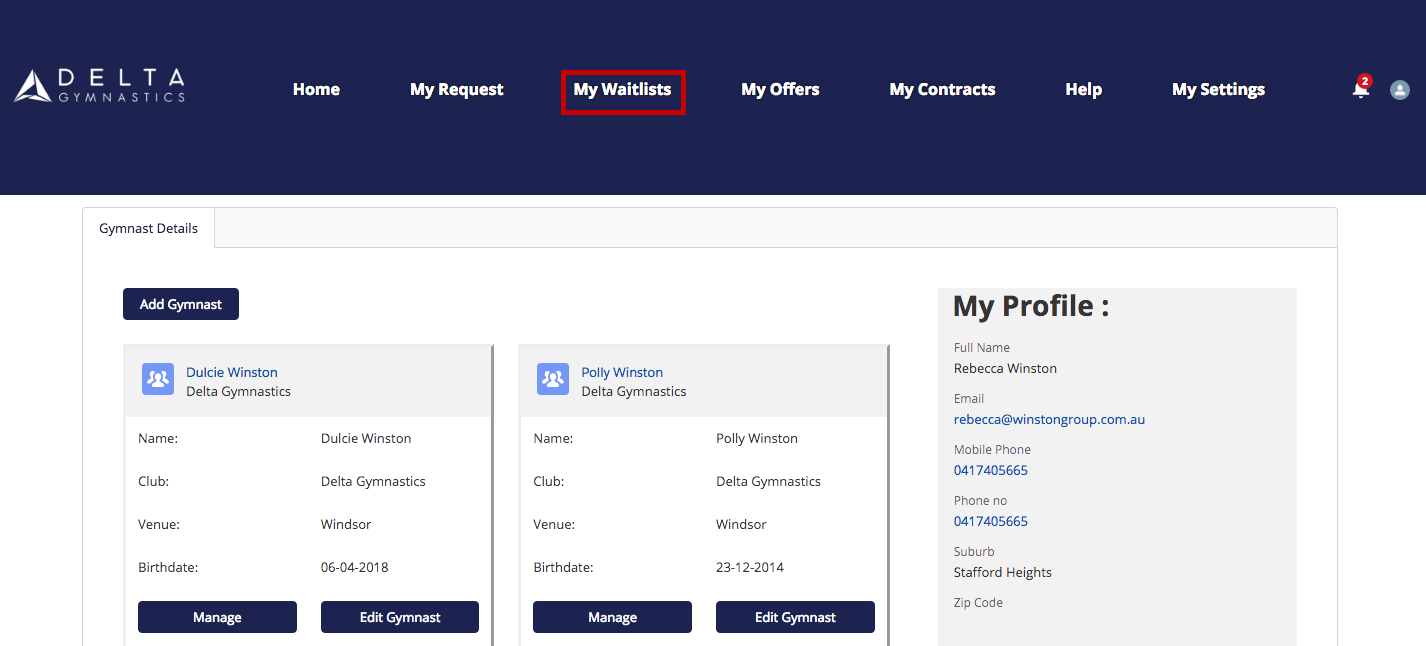

CLASS SWAPS*, UPGRADES AND WAITLISTS – WATCH VIDEO or follow the step by step procedure below.
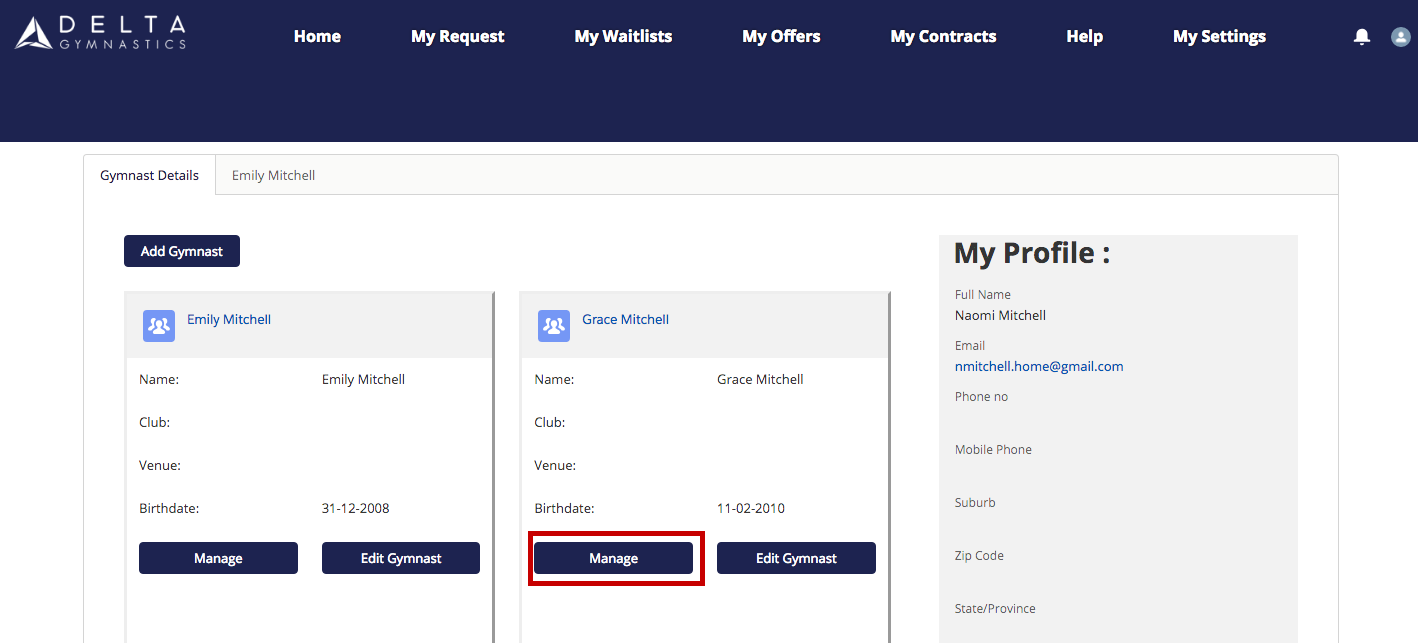
1.Click Manage under your gymnast profile on the home page.
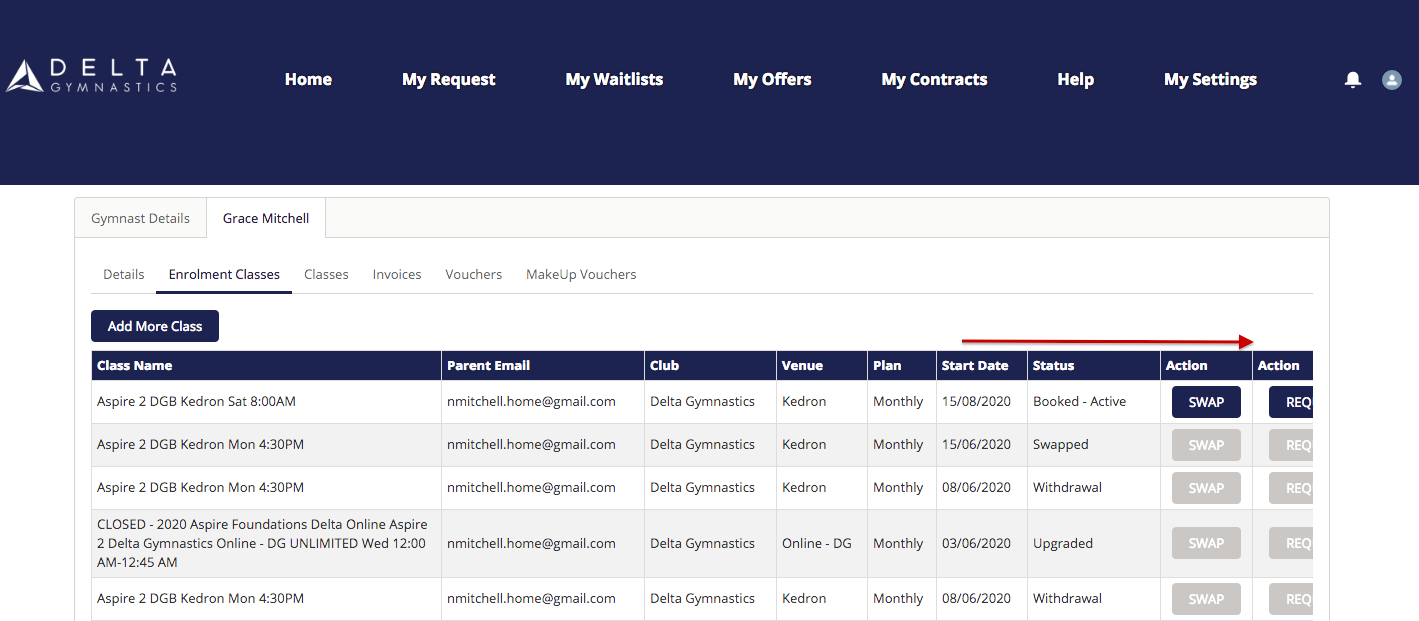
2.Scroll to the left to view action you require.
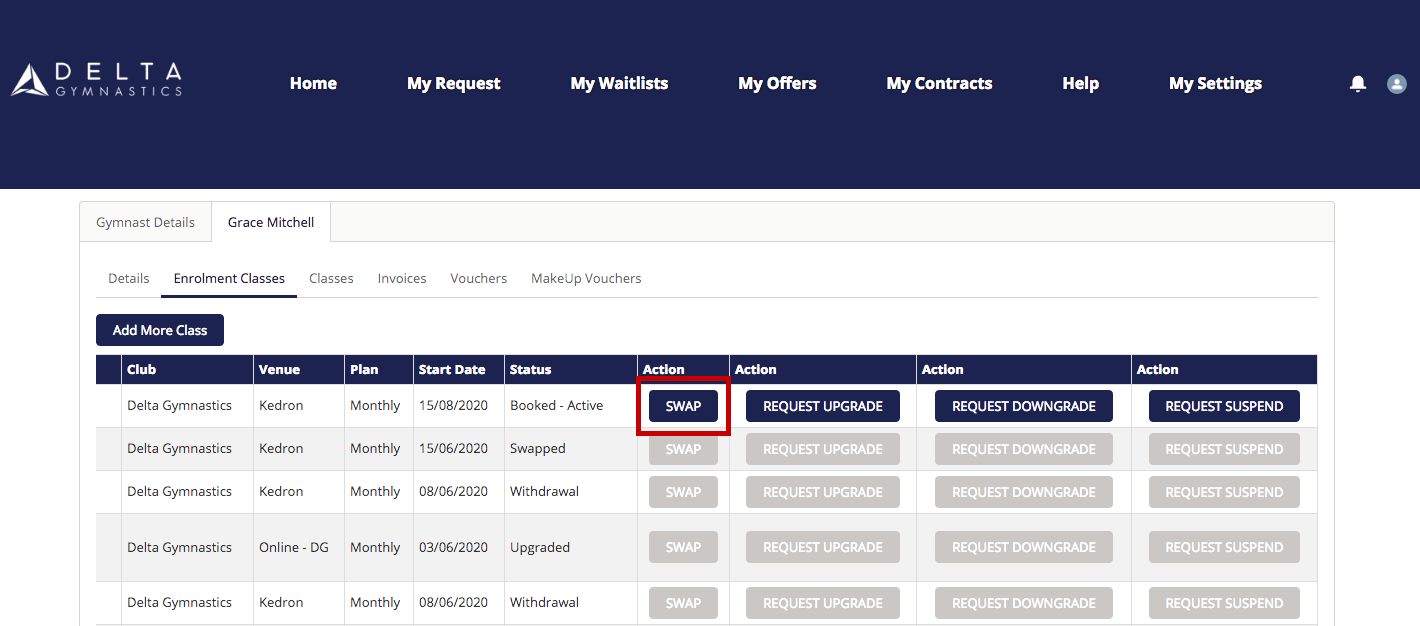
3. Select Swap or the action you require (this example shows you how to swap & waitlist for a class).
*Please note, class swaps are permanent (not just for one week). The automations in our portal will provide your spot to the next person on the waitlist and your spot may not be available if you want to return to this class after swapping out.
4. Select preferred venue location.
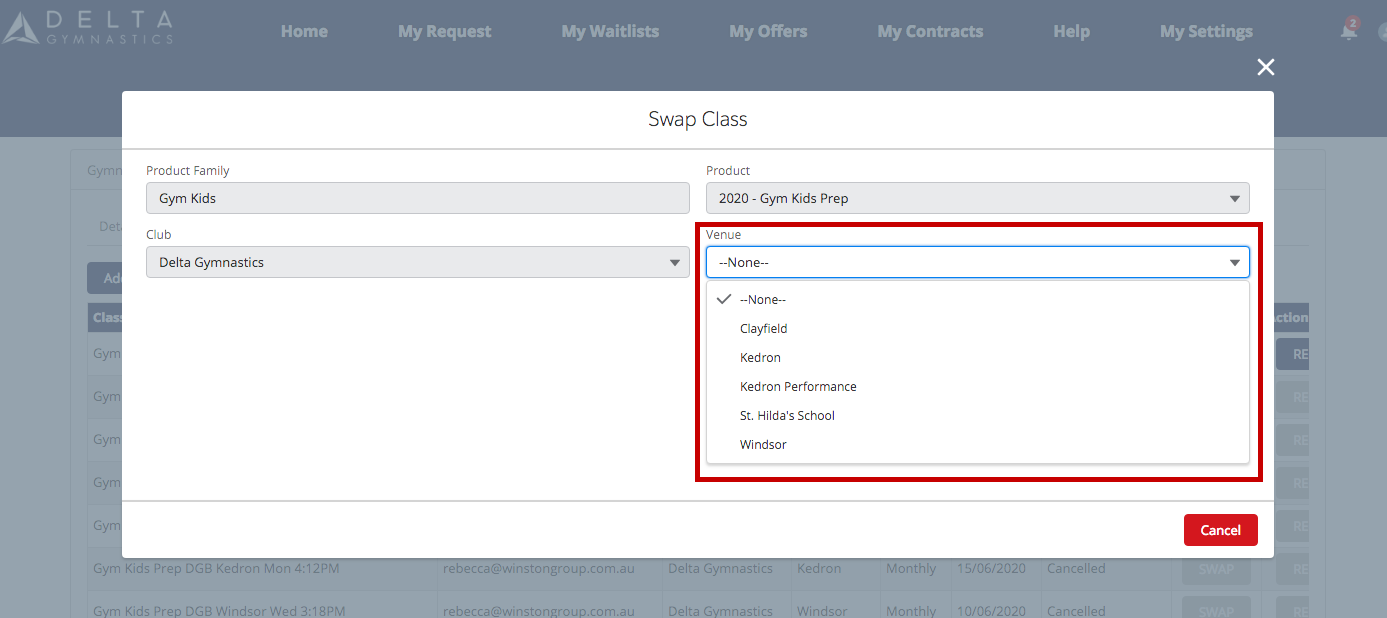
5. Choose your preferred new class day / time from the options.
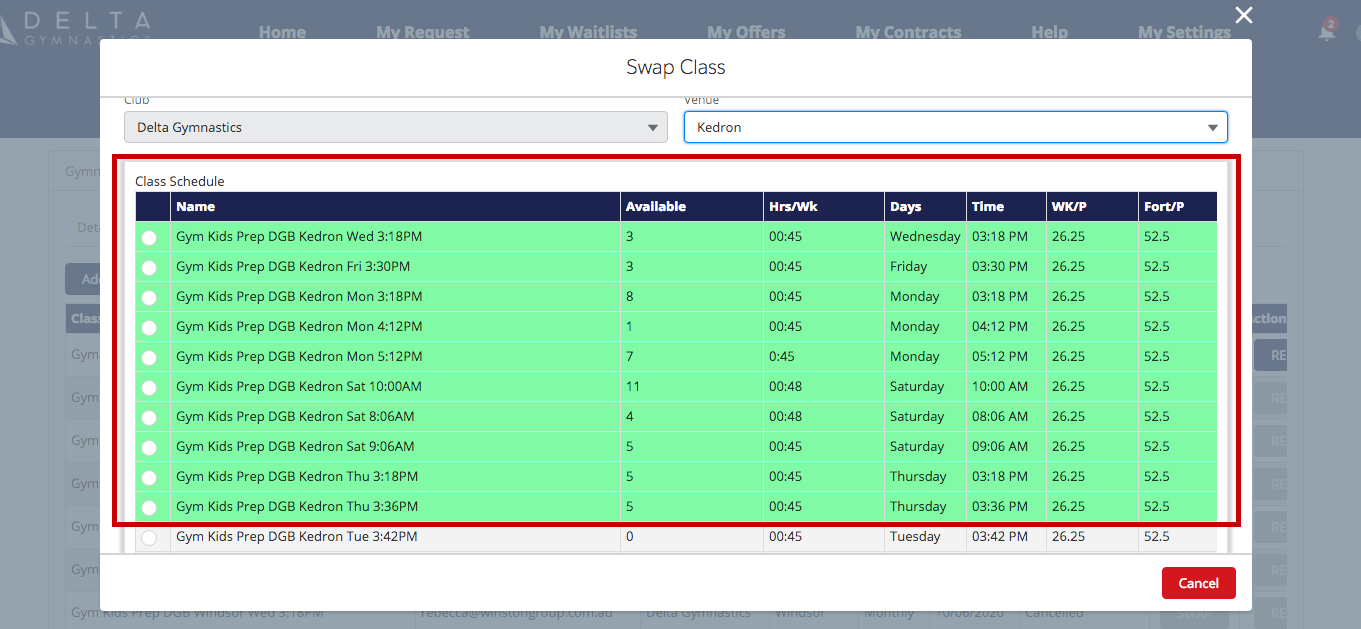
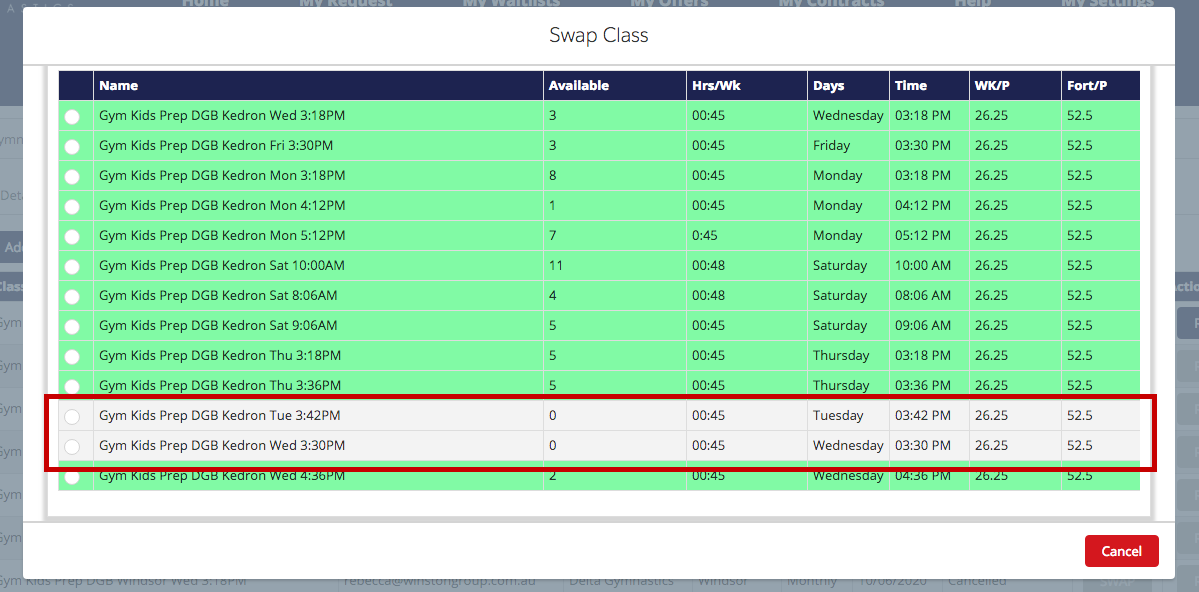
6. If your preferred class is grey, you are able to select this class and join the waitlist until a space becomes available. You will be notified immediately when there is availabilty in this class. Click next once you have selected your preference.
7. Click on payment plan, followed by your preferred start date in this new class.
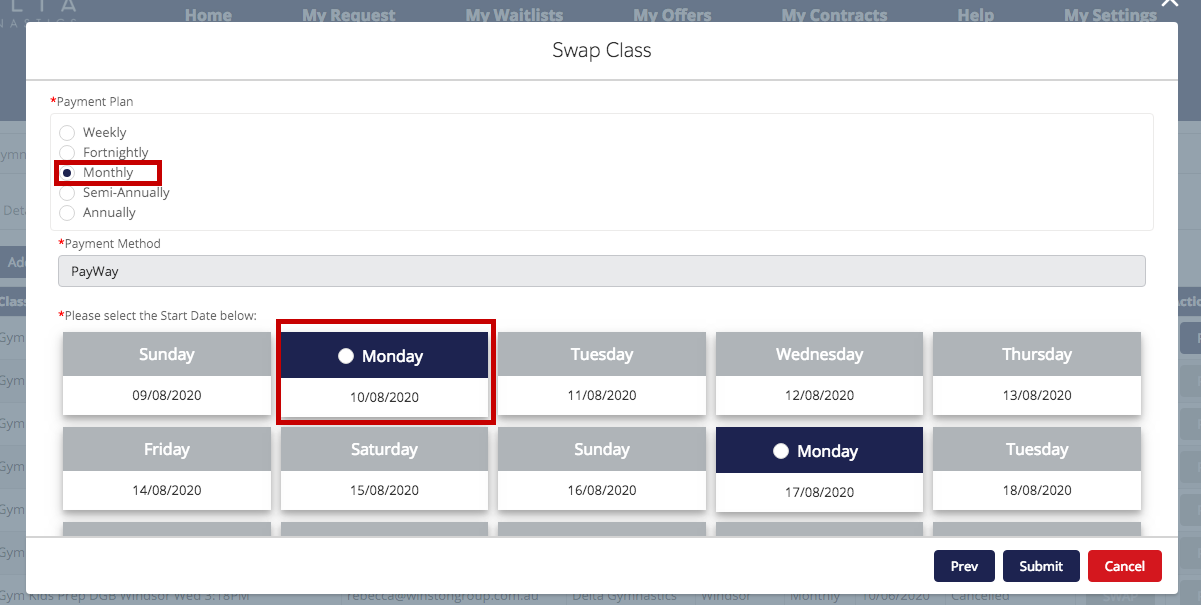
8. Scroll down to enter in todays date (the current day) and click submit.

9. To view your waitlists, visit My Waitlists located on the portal homepage.