

You asked and we listened!
The time has finally come and we are ready to launch our exciting NEW Delta Gymnastics Parent Portal! Manage everything from make-ups, upgrades and class swaps to viewing invoices, credit vouchers and event bookings, all in our fantastic easy to use portal.
We have been working hard to create this user-friendly portal for our members and we can’t wait to hear what you think. To make life easy for you, we’ve put together some short ‘How To’ videos or step by step procedures to help you navigate our new portal.
Over the next two weeks you will receive an email from us providing access to your family’s individual Parent Portal.
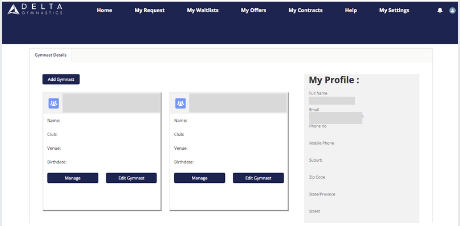

Click on the links below to check out our How To’s!
Click on the headings below for short videos and step by step how to’s explaining the functions of the parent portal.
- HOW TO UPDATE YOUR FAMILY DETAILS
- HOW TO REQUEST / ARRANGE MAKE – UP (Jnr GymKids, GymKids and Aspire / Comp 2)
- CLASS SWAPS, UPGRADES AND WAITLISTS
- COMMUNICATE TO CLUB MANAGER OR TEAM LEADER
- HOW TO VIEW INVOICES & UPDATE YOUR FINANCIAL DETAILS
- HOW TO ENROL A SIBLING
- HOW TO NOMINATE FOR A COMPETITION
- HOW TO BOOK A HOLIDAY PROGRAM
Coming soon…
- How to order your Delta uniform