• Home
  • /
  • Blog
  • /
  • How to View Invoices and Financial Details

HOW TO VIEW INVOICES & UPDATE YOUR FINANCIAL DETAILS

WATCH VIDEO or follow the step by step procedure below.

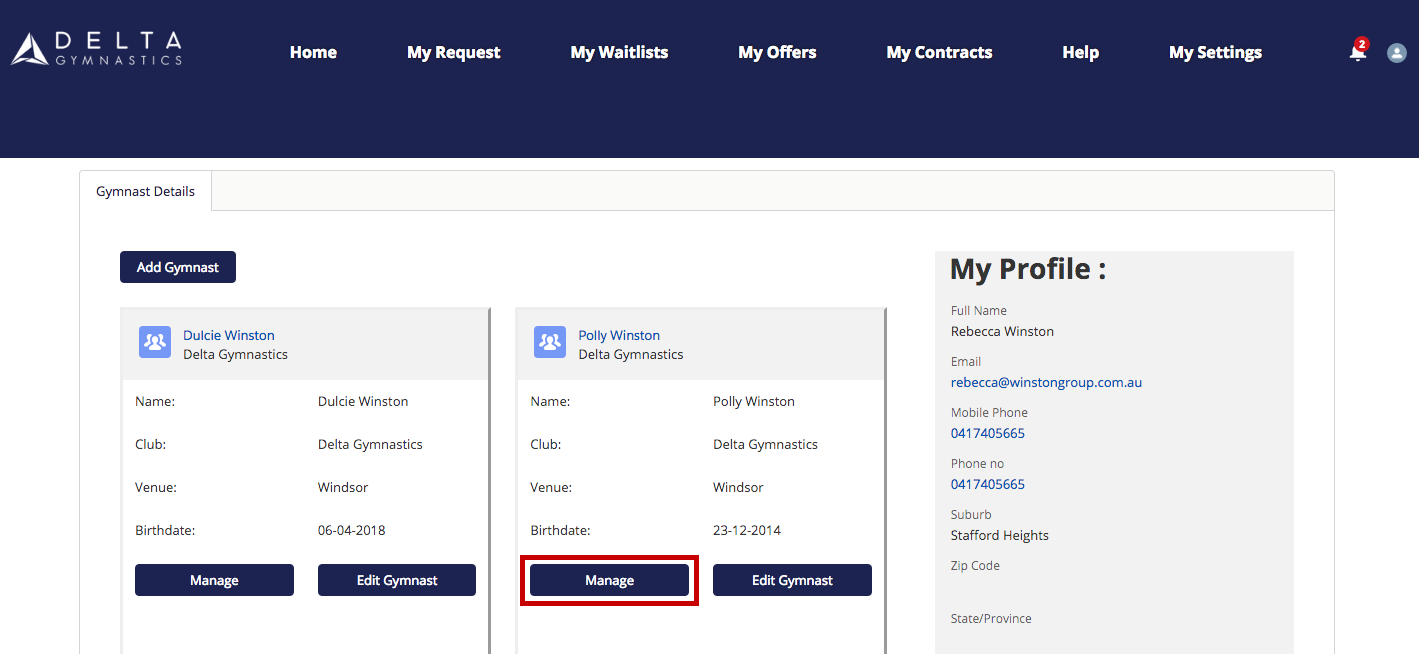
1.Click on Manage under your gymnasts profile on the portal homepage. 
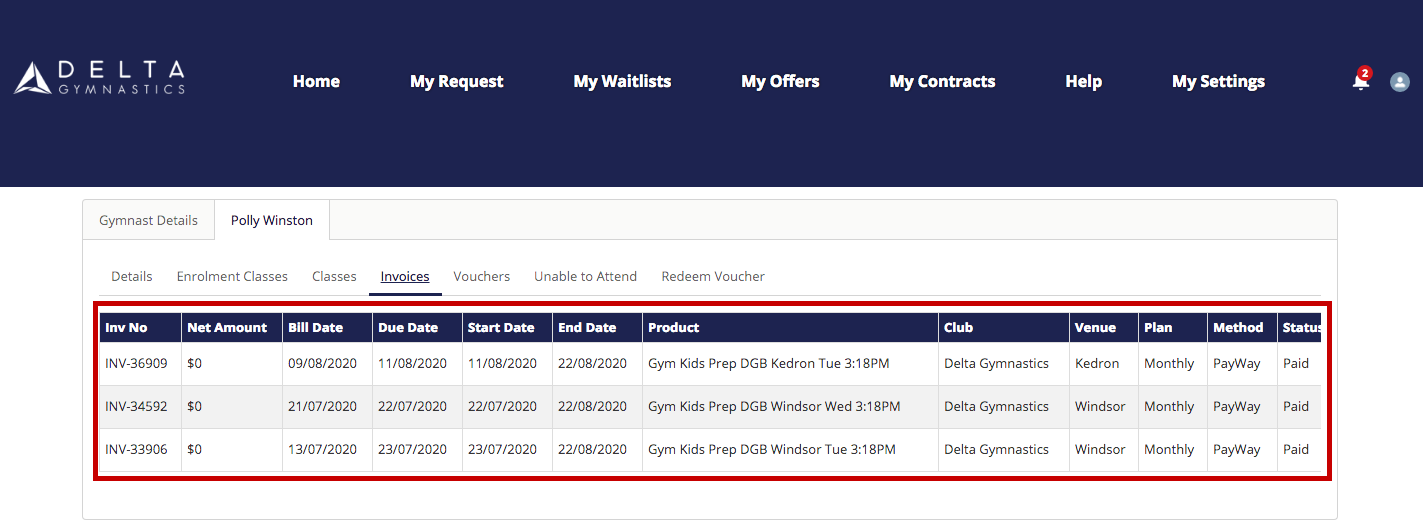
2.You can then view your invoices by clicking on Invoices. 
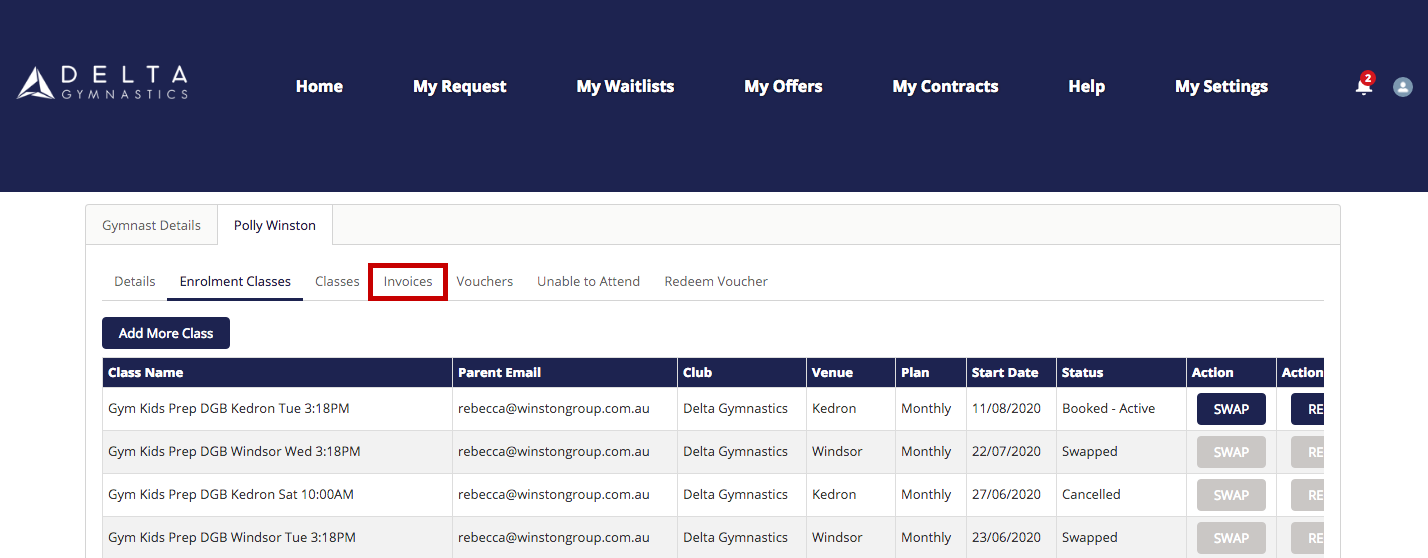
Here you can view your billing date, start date and end date. 

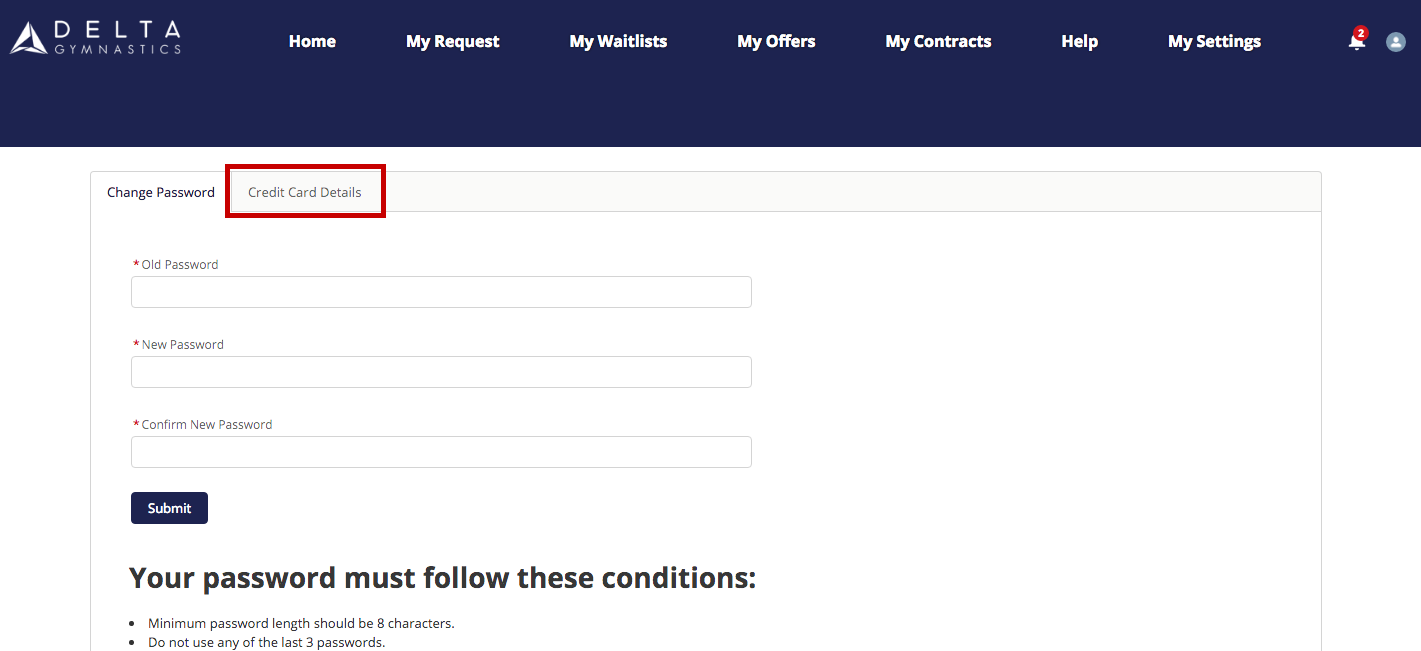
3.If you would like to update your credit card details click on My Settings to edit. Please note: Delta Gymnastics does not store your card details on site. 

Related Posts

Delta Team Challenge 2026: A Weekend of Gymnastics, Teamwork, and Triumph

Delta Team Challenge 2026: A Weekend of Gymnastics, Teamwork, and Triumph

2026 My Team Rules!

2026 My Team Rules!

Delta Halloween Classic Draw 2024

Delta Halloween Classic Draw 2024

That’s a wrap | National Clubs Carnival 2023!

That’s a wrap | National Clubs Carnival 2023!
{"email":"Email address invalid","url":"Website address invalid","required":"Required field missing"}

Would you like our team to contact you?